Open Graph images, automated
Instant beautiful OG images from your website.
Mosaic screenshots your pages and serves them as link previews for X, LinkedIn, Slack, and everywhere else. One meta tag, no design work.

praveenjuge.com
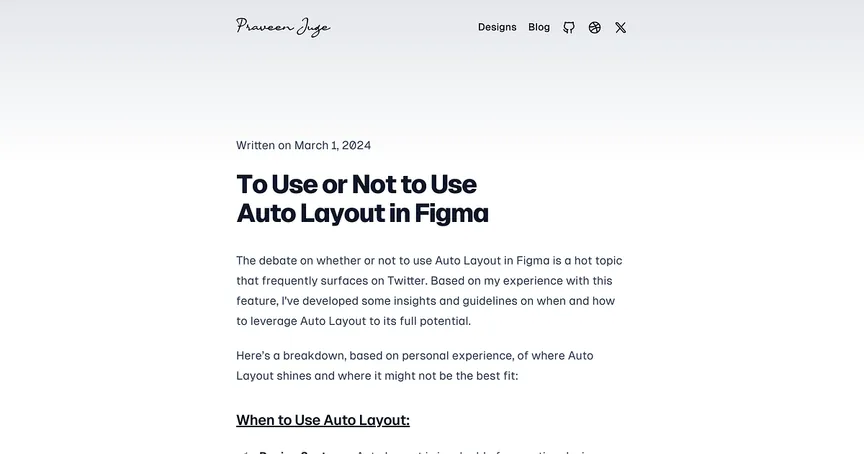
To Use or Not to Use Auto Layout in Figma
The debate on whether or not to use Auto Layout in Figma is a hot topic that frequently surfaces on Twitter. Based on my experience with this…
praveenjuge.com
To Use or Not to Use Auto Layout in Figma
The debate on whether or not to use Auto Layout in Figma is a hot topic that frequently surfaces on Twitter. Based on my experience with this…
Features
Everything a link preview needs
Your website already looks great. Mosaic turns it into the image people see when your links are shared.
Automatic screenshots
The first request for a page captures it at 1560×819. No templates to design or keep in sync.
One meta tag
Point og:image at your Mosaic link. It works with any framework, CMS, or static site.
Always current
Images refresh every 30 days on their own, or regenerate any page from the dashboard.
Clean captures
Cookie banners, chat widgets, and trackers are left out, so the shot shows your page.
Served from the edge
Images are cached on Cloudflare's network, close to every crawler that asks for them.
Usage at a glance
See image requests, cache hits, and your most-shared pages for every website.
How it works
Live in about a minute
No build step, no image templates, no API keys.
- 1
Add your website
Sign up and enter your domain. Mosaic captures your home page right away.
- 2
Add one meta tag
Point og:image at your Mosaic link. Each page's address goes in the url parameter.
- 3
Share your links
When a link is shared, its crawler gets a screenshot of that page, cached and refreshed for you.
<head>
  <meta
    property="og:image"
    content="https://mosaic.praveenjuge.com/use?url=https%3A%2F%2Fexample.com"
  />
</head>
Pricing
Simple, transparent pricing
Start for free and upgrade when you need more. No hidden fees, cancel anytime.
Free
For personal sites and side projects.
$0
Start for free- Automatic shared OG cache
- Unlimited websites
- Community support
Pro
PopularFor growing teams and products.
$19/month
Get started- Automatic shared OG cache
- Unlimited websites
- Priority email support
Pro Yearly
Save $29Everything in Pro, billed yearly.
$199/year
Get started- Automatic shared OG cache
- Unlimited websites
- Priority email support
What is an OG Image?
An OG Image, or Open Graph Image, is a preview image that appears when you share a link to your website on social media. It helps your posts stand out with a visual summary of the page.
How does the Free plan work?
The Free plan lets you save unlimited websites and use Mosaic's automatic shared OG image cache. There is no verification or signing setup.
What are the benefits of upgrading to Pro?
Pro plans add priority email support and advanced features. The shared OG image cache works the same across plans, so your metadata URLs stay simple.
What happens during heavy traffic?
Mosaic protects the service with daily generation budgets. If a budget is temporarily exhausted, it serves an existing cached image or a safe fallback instead of breaking your social preview.
Can I cancel my subscription anytime?
Yes, you can cancel your Pro subscription at any time. You'll continue to have access to Pro features until the end of your current billing period.
How often are OG images refreshed?
Images are cached by canonical page URL and refresh automatically after 30 days. To update one sooner, choose Regenerate next to its image on the dashboard, or Regenerate images in a website's menu to reset every page.
What image format is used?
OG images are JPEG screenshots taken at 1560×819 pixels, the 1.91:1 shape social networks use for link previews.
Let your website be its own preview
Add your first site in under a minute. Free to start, no card needed.